How does "Pre-order on the App Store" work?
Pre-ordering is completely free. When you tap "Pre-order", Apple registers the app to your Apple ID. On launch morning (December 1, 2026), Apple automatically downloads ServiceReady to your Mac and iPad in the background and sends you a notification that it's ready.
What are the limits on the Free plan, and how do active services work?
ServiceReady Free provides complete service building, multi-hymnal searching, and dual-screen projector output for up to 3 active services at any time on a single device — ideal for having this Sunday, next Sunday, and an upcoming special service planned and ready to lead.
If you create more than 3 active services, your 3 most recent services remain fully editable, while older services stay safely stored in your library in read-only mode (you can still open, rehearse, and present them on screen anytime). To actively edit and maintain unlimited services simultaneously and enable personal iCloud sync, you can upgrade to ServiceReady Pro.
Which hymnals are supported in ServiceReady?
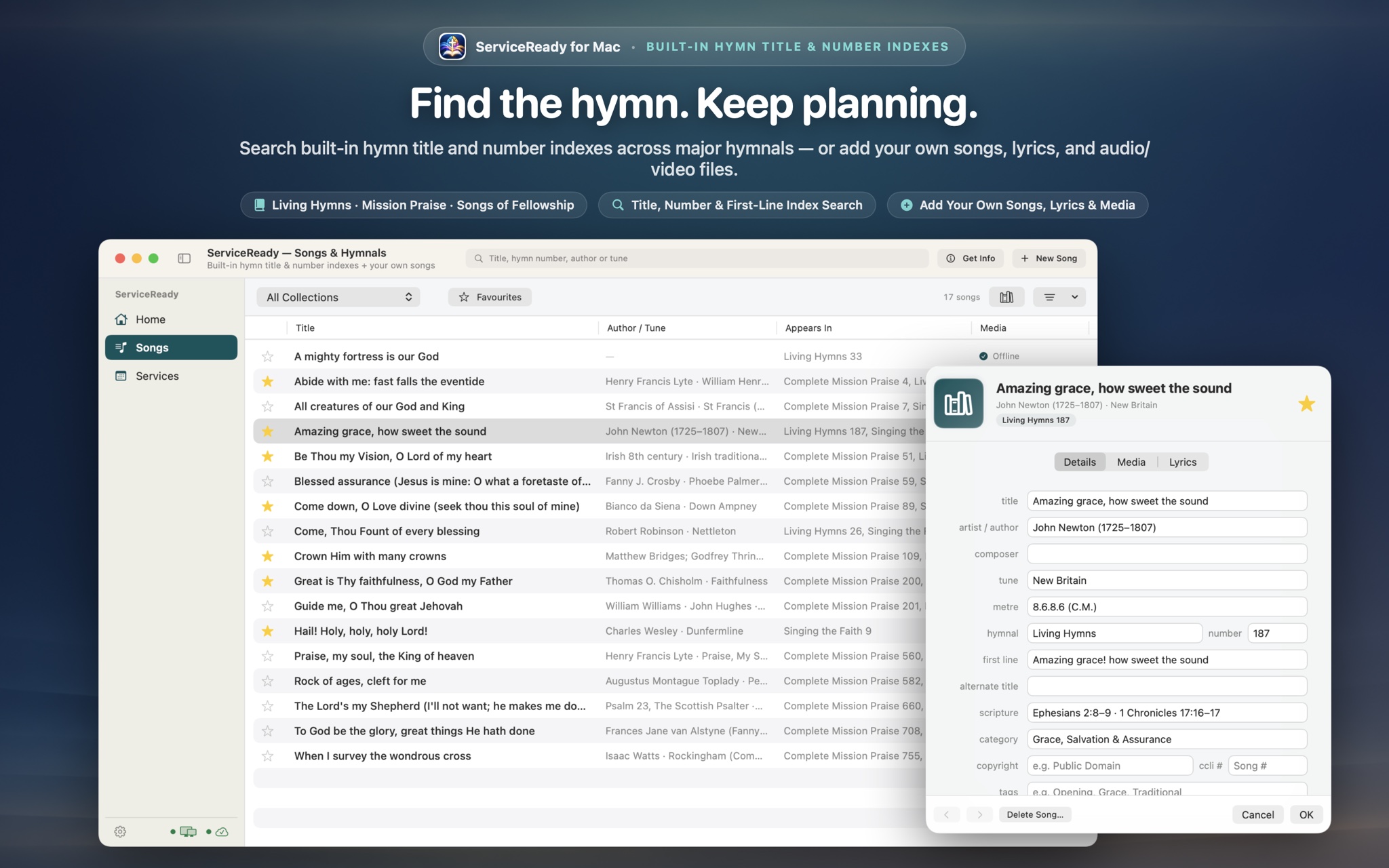
ServiceReady includes curated catalogues for Complete Mission Praise (1–1000+), Songs of Fellowship (Books 1–3), Living Hymns, Singing the Faith, and Voices United. You can choose which hymnals your church uses in Settings, search songs by their exact number in your congregation's books, or add custom hymnals.
Does ServiceReady require an internet connection during services?
No. ServiceReady is designed local-first. All your hymns, scripture readings, sermon slides (PDFs), notices, and local audio/video files are cached on your Mac or iPad. You can present your entire service offline without relying on church Wi-Fi.
How do I connect my Mac or iPad to the church projector or TV?
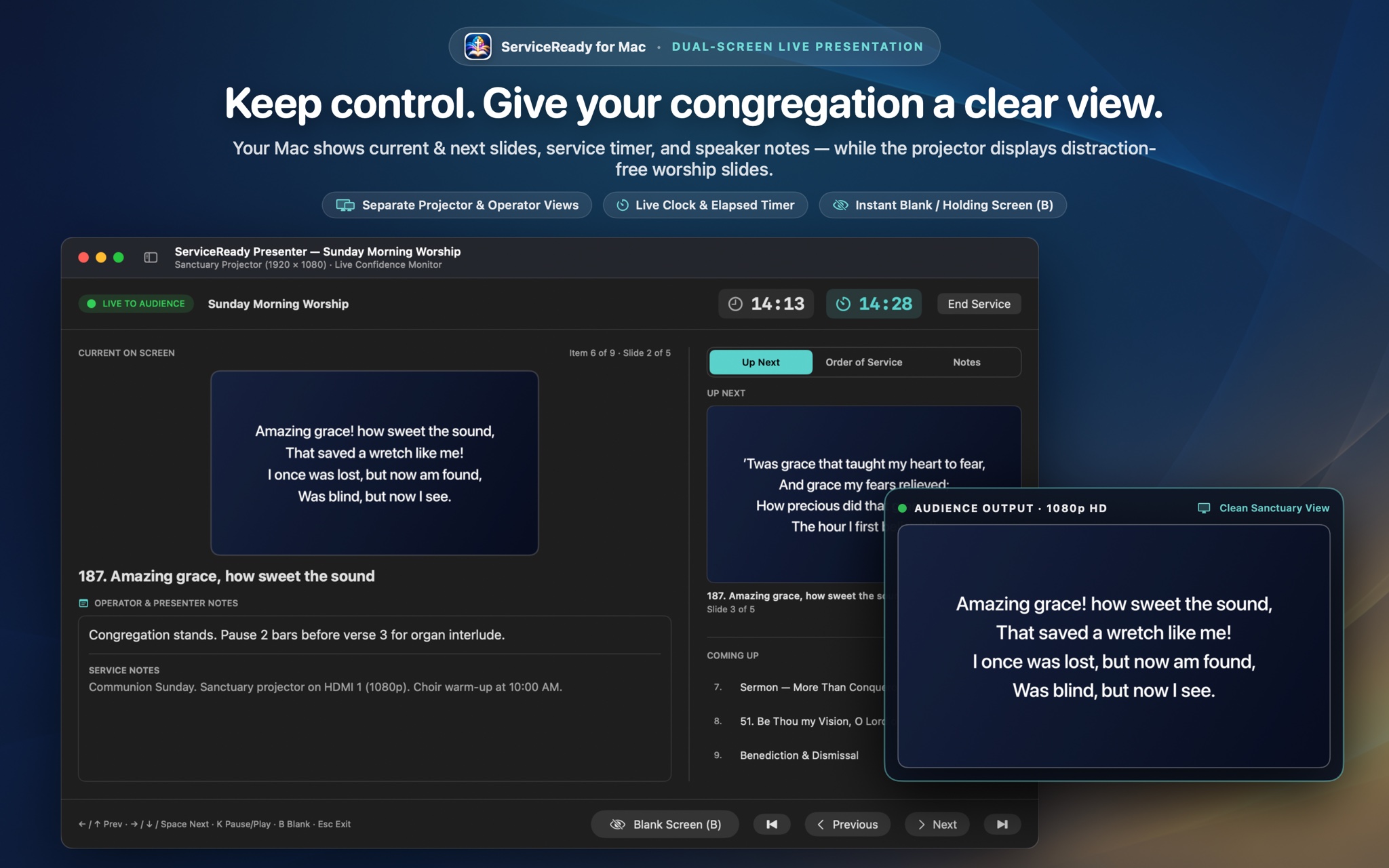
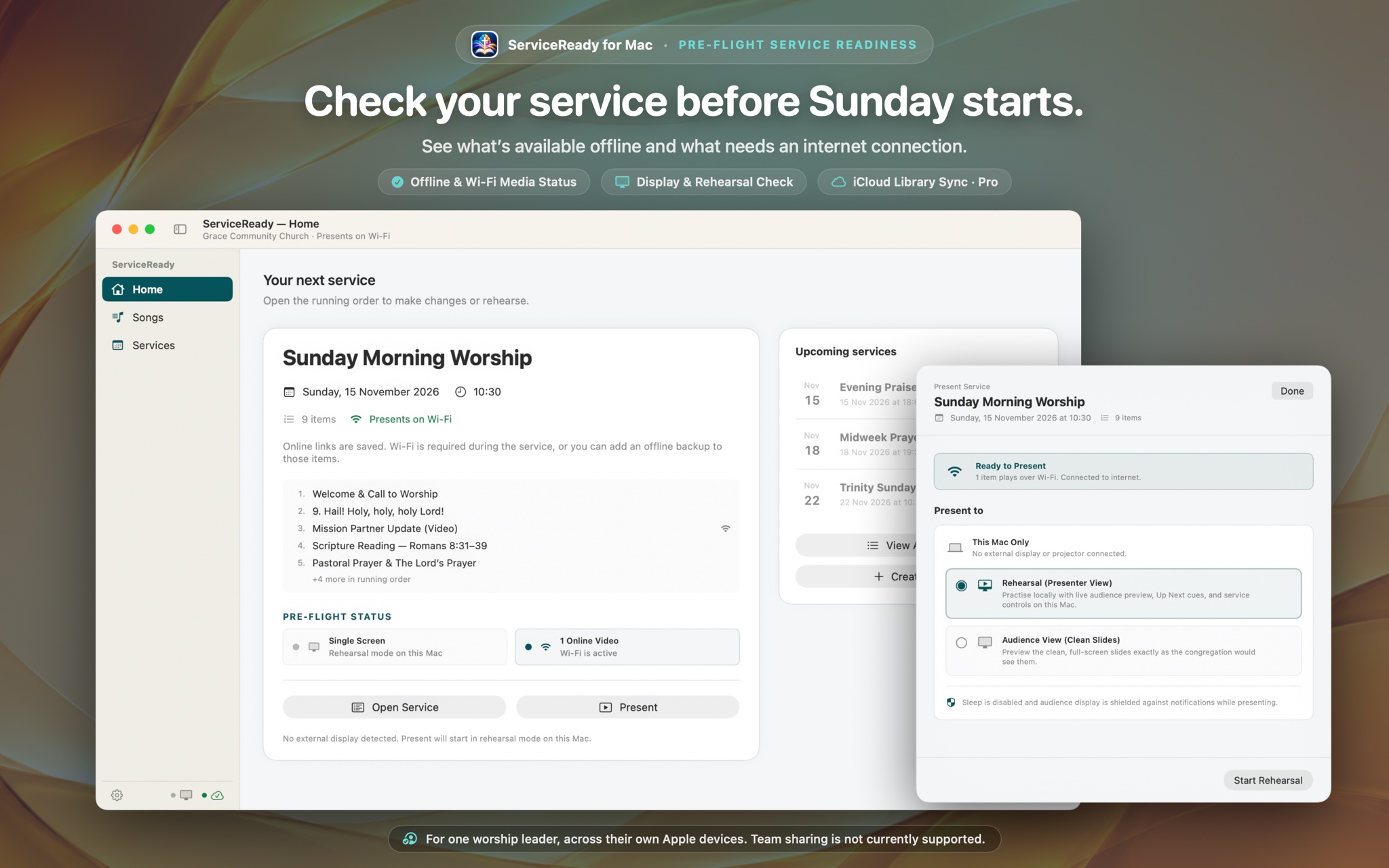
Plug an HDMI cable or USB-C adapter into your Mac or iPad, or connect via AirPlay. On macOS, set the external display to "Extended Display". When you click "Start Service", ServiceReady displays your private operator console on your Mac/iPad screen and automatically outputs clean typography to the projector.
How do sermon slides from PowerPoint or Keynote work?
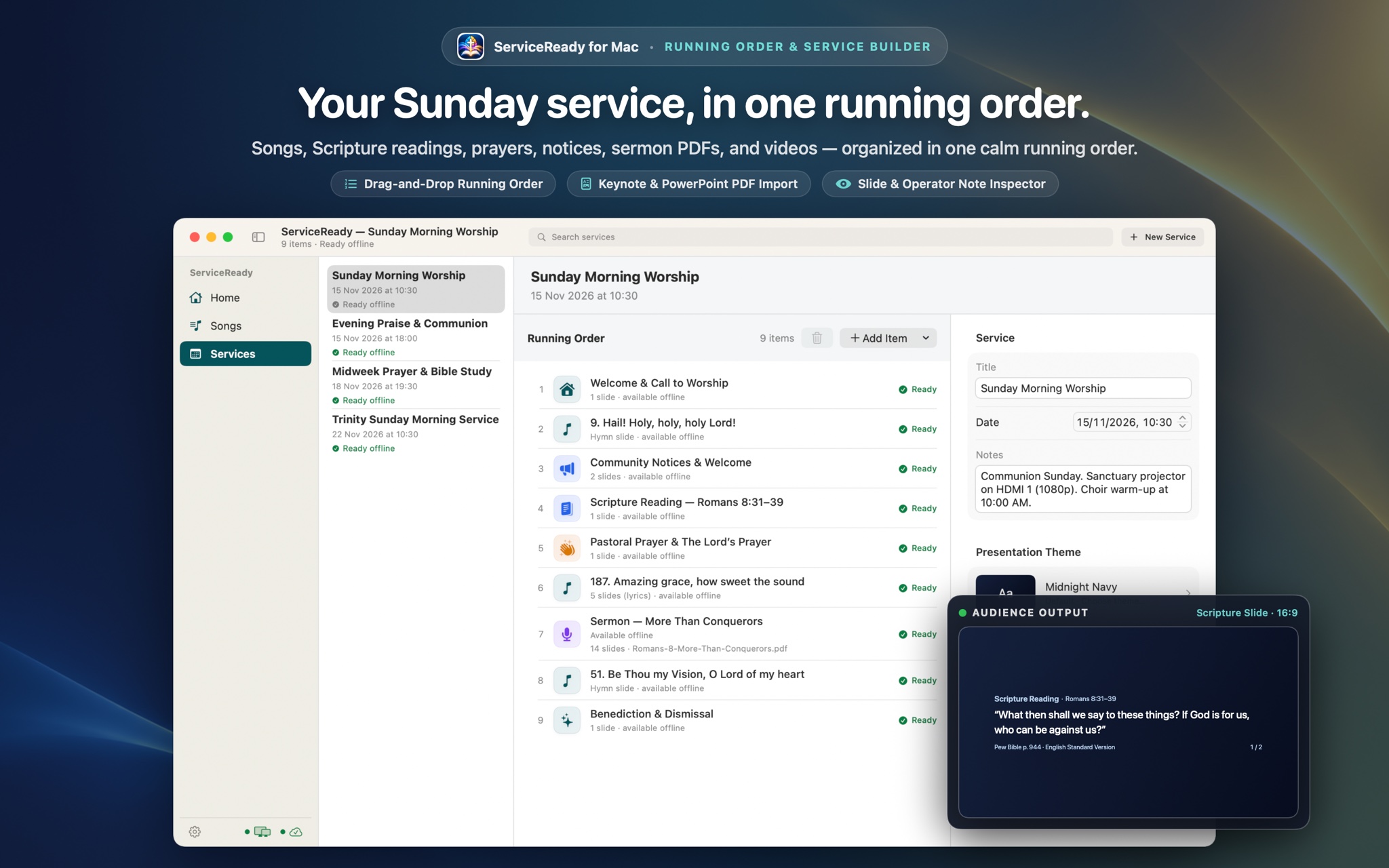
In PowerPoint or Keynote, choose File > Export To > PDF. In ServiceReady, add a Sermon item and drop the PDF file directly into the running order. You can advance slides with your Spacebar, keyboard arrow keys, or any standard wireless clicker.
Can I buy Lifetime Access instead of a subscription?
Yes! In addition to monthly and annual plans (with a 2-week free trial), ServiceReady Pro offers a one-time Lifetime non-consumable purchase through Apple StoreKit. Pay once and keep Pro forever.
Is ServiceReady designed for a solo leader or a team?
ServiceReady is crafted specifically for the solo church leader, minister, or worship planner at launch. If you prepare services yourself on your Mac and present them on your iPad, you will love the simplicity. There are no complicated user hierarchies or IT setup required.
Team collaboration is on our active development roadmap! The upcoming ServiceReady Church plan will bring multi-user sync across up to 5 church leaders, shared church library archives, and volunteer handoffs without sharing personal Apple IDs.
What is the Sunday Readiness Check and how does it prevent mistakes?
Before you step up to lead, ServiceReady inspects your service items automatically. It displays clear badges: "Ready offline" (all lyrics, sermon PDFs, and media are safely cached locally), "Items to complete" (items still need lyrics or slide attachments), or "Presents on Wi-Fi" (an online video or link is referenced). It ensures you never walk into Sunday morning with missing slides or dead links.
How does sync work at launch, and what is the upcoming Church plan?
At launch on December 1st, ServiceReady Pro is designed for an individual pastor or leader: it uses your personal Apple ID and private iCloud storage to sync your running orders, songs, and custom templates between your personal devices (such as your Mac at your study desk and your iPad at the church sound desk).
Later, we will introduce the ServiceReady Church plan, which will enable multi-user sync between up to 5 team members (pastor, worship leader, musicians, and volunteer operators) so your entire church team can collaborate seamlessly without sharing personal Apple IDs.